Technical SEO: A 2026 Guide From Crawl to AI Citation

TL;DR
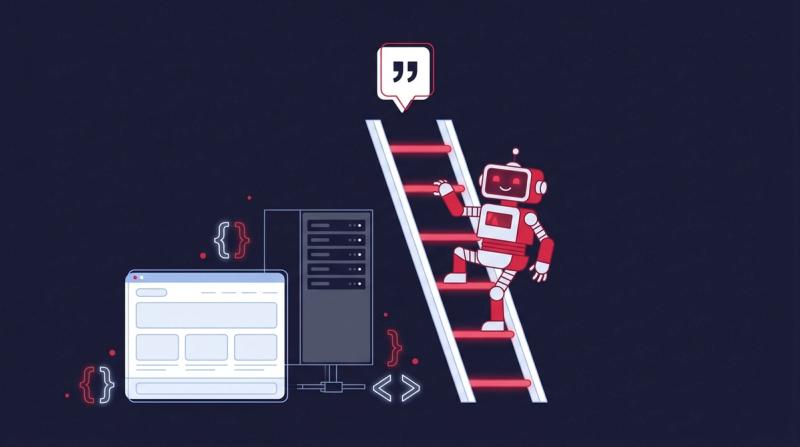
Technical SEO is the work of making your site easy for search engines and AI crawlers to fetch, render, index and understand. It covers servers, code and site structure, not the words on the page. In 2026 it matters more because ChatGPT, Perplexity and Gemini fetch pages live, and many of their crawlers don't run JavaScript. Audit in order with the Crawl-to-Citation Ladder: Access (robots.txt, status codes), Render (is the content in the raw HTML?), Index (did Google pick your URL as canonical?), Understand (schema, internal links) and Cite (can an AI answer lift a passage?). A page that fails an early rung gets nothing from fixes further down. Don't block OAI-SearchBot, keep redirects to one hop, server-render key pages and treat Core Web Vitals as a tiebreaker, not a growth plan.

Google's own documentation says a JavaScript page can wait in its rendering queue for "a few seconds, but it can take longer than that." For a SaaS site built on React, that gap can decide whether a new pricing page shows up in search this week or next month.
It's rarely the only leak, either. SAASY LINKS audited 60 SaaS domains in 2026 and found that 18% of their referring domains pointed at URLs that returned a 404 or passed through two or more redirect hops. That's link equity draining out through plumbing nobody checks.
Technical SEO is that plumbing. Content and off page SEO only pay off once crawlers can reach and file your pages, and in 2026 the crawlers that matter include GPTBot and PerplexityBot as well as Googlebot. Most of the fixes are dull. They're also the ones that move rankings fastest, because they unblock pages you've already paid to write.
What Is Technical SEO?
Technical SEO is the work of making a website easy for search engines and AI crawlers to access, render, index and understand. It deals with servers, code and site structure rather than the words on each page. If a bot can't fetch or parse a URL, nothing else you do on that page counts.
Google splits its own processing into crawling, rendering and indexing, and the technical side of SEO maps onto those stages. Crawling is Googlebot fetching a URL. Rendering is a headless Chromium running the page's JavaScript. Indexing is Google storing the rendered result and deciding which version of it to show.
Technical SEO vs On-Page SEO vs Off-Page SEO
The three pillars answer different questions. Technical work asks whether bots can reach and read the page. On-page work asks whether the page answers the search well. Off-page work asks whether other sites vouch for it. You need all of them, but only the technical layer can make the other two worthless when it breaks.
Technical vs on-page vs off-page SEO
| Pillar | Question it answers | Typical fixes | Who usually owns it |
|---|---|---|---|
| Technical | Can bots fetch, render and index the page? | robots.txt, redirects, canonicals, rendering, speed, schema | Developers + SEO lead |
| On-page | Does the page match the search intent? | Titles, headings, content depth, internal links, images | Content team + SEO lead |
| Off-page | Do other sites trust and mention it? | Backlinks, brand mentions, digital PR, reviews | Link building / PR team |
Why Technical SEO Matters More in 2026
Google isn't the only crawler deciding who gets traffic anymore. ChatGPT, Perplexity and Gemini fetch pages live when someone asks a question, and their bots are less patient than Googlebot. Many of them don't run JavaScript at all, so a page that builds its content client-side can look empty to the tools your buyers now ask first.
Training data runs on the same rules. The OppAlerts study of about 167,000 domains found that presence in Common Crawl, the open web archive many language models learn from, correlates at +0.165 with AI visibility. That's the sixth-strongest of the 18 signals it measured, and Common Crawl can only store pages its bot is able to fetch.
OpenAI's crawler documentation is blunt about the stakes. Sites that opt out of OAI-SearchBot "will not be shown in ChatGPT search answers," while GPTBot is a separate bot that only collects training data. Block the wrong user agent in robots.txt and you can drop out of ChatGPT search without a single warning in Search Console.
“Undermining your SEO visibility may be one of the single most damaging things you can do to your long-term AI search presence.”
Our position is simple. Blocking AI crawlers is the worst SEO call a SaaS company can make in 2026, because you don't keep that traffic by blocking them. The model just quotes a competitor's page instead. Getting fetched is only the entry ticket, though; which page gets quoted comes down to formatting and authority, which is what LLM SEO deals with.
The Crawl-to-Citation Ladder
The Crawl-to-Citation Ladder is a five-rung check we use to find the exact point where a page drops out of search. A URL has to clear each rung in order: Access, Render, Index, Understand and then Cite. Polishing rung four is wasted effort if the page fails rung one, so audits start at the top.

The Crawl-to-Citation Ladder: what each rung checks
| Rung | Question | How to test it | Most common failure on SaaS sites |
|---|---|---|---|
| 1. Access | Can Googlebot and AI crawlers fetch the URL? | robots.txt tester, server logs, curl with a bot user agent | OAI-SearchBot or PerplexityBot blocked by a CDN bot rule |
| 2. Render | Is the main content in the HTML without JavaScript? | View source, URL Inspection > View crawled page | Feature and pricing copy loaded client-side |
| 3. Index | Did Google store the page and pick your URL as canonical? | Search Console Page indexing report | Parameter URLs chosen as canonical over the clean URL |
| 4. Understand | Is it clear what the page is and who publishes it? | Rich Results Test, internal link counts | Orphan pages with zero internal links |
| 5. Cite | Can an AI answer lift a passage from the page? | Prompt tracking across ChatGPT, Perplexity, Gemini | Answers buried under 300 words of intro |
Speed scores are easy to screenshot, so audits love them. But in our experience they rarely explain why a page is missing from Google. Rungs one and three do, far more often. Start there and you'll usually find the problem in the first hour. They also belong at the top of any SEO plan checklist, which is why our SaaS version puts them in week one.
Crawlability: Can Bots Reach Your Pages?
Crawlability is whether search and AI bots can discover and fetch your URLs. Four things control it: robots.txt rules, server responses, XML sitemaps and internal links. A page with no internal links and no sitemap entry may never be found at all, however good the writing on it is.
Robots.txt and AI crawlers
Robots.txt tells crawlers which paths they may request. It doesn't remove pages from search. Google says plainly that it's "not a mechanism for keeping a web page out of Google" and that you should use noindex or a password for that. A blocked URL can still get indexed from links pointing at it, just without its content.
The AI side has more user agents than most teams realize, and each does a different job. Check your robots.txt and your CDN's bot settings against this list, because Cloudflare and similar services can block bots before robots.txt is ever read.
AI crawlers to check in robots.txt and your CDN
| User agent | Company | What it does | Our advice |
|---|---|---|---|
| OAI-SearchBot | OpenAI | Indexes pages for ChatGPT search answers | Allow |
| ChatGPT-User | OpenAI | Fetches a page when a user's chat asks for it | Allow |
| GPTBot | OpenAI | Collects training data for future models | Allow unless you object to training use |
| ClaudeBot | Anthropic | Collects training data for Claude models | Allow |
| PerplexityBot | Perplexity | Builds Perplexity's search index | Allow |
| Google-Extended | Controls Gemini use of your content; doesn't affect Google Search | Allow |
XML sitemaps
A sitemap is a list of URLs you want crawled, and Google reads less of it than people assume. Its documentation says Google ignores the priority and changefreq values, and only uses lastmod when it's consistently and verifiably accurate. So the useful work is keeping the list clean.
Include only canonical URLs that return a 200 status and aren't noindexed. In our audits, sitemaps stuffed with redirects, 404s and parameter URLs are one of the first signs that nobody owns the site's technical health. Split big sites into several sitemaps by section so you can see indexing rates per section in Search Console.
Site architecture and internal links
Internal links are how crawlers find pages and how they judge which ones matter. A common rule of thumb is to keep important pages within three clicks of the homepage. Pages that no other page links to, called orphan pages, often sit in "Discovered, currently not indexed" for months.
One old trick still shows up in audits: adding nofollow to your own internal links to push authority toward money pages. It doesn't work. Since 2008, Google has divided equity across every link on a page, nofollowed or not, and Matt Cutts explained that the nofollowed share simply evaporates. You lose equity and gain nothing.
Crawl budget: probably not your problem
Crawl budget is the number of URLs Google is willing and able to crawl on your site. Google's guide on it is aimed at sites with 1 million+ pages that change weekly, or 10,000+ pages that change daily. Most SaaS marketing sites have under 2,000 URLs. Crawl waste from filters and URL parameters is the more likely issue.
Log file analysis
Server logs are the only record of what bots actually requested, as opposed to what a crawler tool guesses they'd request. Filter a month of logs by user agent and you'll see how often Googlebot and OAI-SearchBot hit your key pages, and which junk URLs eat their visits instead.
You don't need this every month. Pull logs when pages aren't getting indexed and the usual reports don't explain why, or after a migration. Screaming Frog's Log File Analyser handles files from most hosts, and Cloudflare and Vercel both show bot traffic in their dashboards if you can't get raw logs.
Rendering: JavaScript SEO for SaaS Sites
Rendering is the step where a crawler runs your JavaScript to see the finished page. Googlebot does it with headless Chromium, but pages wait in a queue first, and many AI crawlers skip JavaScript completely. If your copy only appears after client-side scripts run, some bots will index an empty shell.
Google itself recommends not relying on its renderer. Its JavaScript guide says "server-side or pre-rendering is still a great idea because it makes your website faster for users and crawlers, and not all bots can run JavaScript." That last clause is the AI search problem in one line.
Rendering methods and what crawlers receive
| Method | What the crawler gets on first request | SEO fit |
|---|---|---|
| Client-side rendering (CSR) | A near-empty HTML shell plus JavaScript bundles | Poor for marketing pages; fine behind login |
| Server-side rendering (SSR) | Full HTML built on each request | Strong; the default in Next.js and Nuxt |
| Static generation (SSG) | Pre-built HTML files served from a CDN | Strong and fastest; best for blogs and docs |
| Incremental static regeneration (ISR) | Pre-built HTML that refreshes on a timer | Strong for pricing and integration pages that change |
You can test this in two minutes. Open a page, choose View Source (not Inspect) and search for a sentence from the main copy. If it's missing, bots that don't run scripts can't see it either. Search Console's URL Inspection tool shows the version Google rendered, which is worth checking for your top 20 pages.
Your logged-in app is a different case. It doesn't need to rank, so client-side rendering there is fine. Just keep it out of the index with noindex or authentication, and don't let app routes leak into the marketing sitemap.
Indexing: Getting the Right URL Into Google
Indexing is Google deciding to store a page and choosing one version of it as the canonical. Being crawled doesn't earn a spot. The Page indexing report in Search Console lists which URLs made it in, which didn't and the reason for each exclusion, so it's the first report to open.
Canonical tags and duplicate URLs
Google ranks its canonical signals by strength. Redirects and rel="canonical" tags are both strong signals, while sitemap inclusion is a weak one. None of them is an order, so Google can still pick a different URL if your signals conflict, for example a canonical pointing one way and internal links pointing another.
SaaS sites create duplicates in the same few places: UTM-tagged links, trailing slash vs no slash, /pricing?plan=annual next to /pricing, and old http or non-www versions. Pick one format, redirect the rest with a 301 and make every internal link use the final URL.
Redirects, status codes and noindex
Use 301 redirects for permanent moves and keep every redirect to a single hop. Chains build up quietly after each redesign, and each extra hop is another chance for a crawler to give up. Return a real 404 or 410 for pages that are gone, not a 200 with a "page not found" message.
The most expensive mistake we see is a leftover noindex tag. A staging setting gets copied to production during a launch, and the new site slowly falls out of Google over two or three weeks. Add a check for noindex on key templates to your deploy process.
Fixing "Crawled, currently not indexed"
This status usually isn't a technical fault. Google fetched the page and decided it wasn't worth storing, often because it's thin or too similar to another URL. "Discovered, currently not indexed" is different: Google knows the URL but hasn't fetched it, which points to weak internal linking or crawl waste elsewhere.
Page Experience and Core Web Vitals in 2026
Core Web Vitals are Google's field metrics for how a page feels to real visitors. In 2026 there are three: LCP for loading, INP for responsiveness and CLS for visual stability. Google measures them at the 75th percentile of page loads, split by mobile and desktop, using data from real Chrome users.
Core Web Vitals thresholds (75th percentile of page loads)
| Metric | What it measures | Good | Poor |
|---|---|---|---|
| Largest Contentful Paint (LCP) | How fast the main content loads | 2.5 seconds or less | Over 4 seconds |
| Interaction to Next Paint (INP) | How fast the page responds to clicks and taps | 200 ms or less | Over 500 ms |
| Cumulative Layout Shift (CLS) | How much the layout jumps while loading | 0.1 or less | Over 0.25 |
INP replaced First Input Delay as a Core Web Vital in 2024, and it's the one SaaS sites fail most often because of heavy chat widgets, tag managers and analytics scripts. Load third-party scripts after the main content, and drop the ones nobody has looked at in a year.
Keep speed in proportion. We've never seen a SaaS page jump from page three to page one on speed fixes alone. Good vitals help when two pages are otherwise close, and poor ones hurt conversions more than rankings.
Mobile-first indexing and HTTPS
Google uses the mobile version of a site's content, crawled with its smartphone agent, for indexing and ranking. If your mobile layout hides tabs, tables or FAQ answers that desktop shows, Google may not count them. HTTPS has been a lightweight ranking signal since 2014, and in 2026 browsers warn visitors away from sites without it anyway.
Structured Data and Entity Signals
Structured data is code, usually JSON-LD, that labels what a page contains: an organization, a software product, an article and its author. It helps Google and AI systems understand the page without guessing. Google is clear that it doesn't guarantee rich results, even when your markup passes validation.
For SaaS sites, four types do most of the work: Organization with sameAs links to your social and review profiles, SoftwareApplication on product pages, Article with a named author on blog posts, and BreadcrumbList for site hierarchy. FAQ rich results have been limited to government and health sites since August 2023, though the markup still describes the page accurately.
Structure on the page matters as much as structure in the code. SAASY LINKS reworked 22 blog and help-center pages for a B2B data-integration SaaS in 2026, adding answer-first intros and comparison tables and unblocking OAI-SearchBot. Over 10 weeks, ChatGPT citations across the brand's 40 tracked prompts went from 3 to 14. That's the Cite rung, and it's where our AI search optimization work usually starts.
Technical SEO for SaaS Sites
SaaS sites tend to break technical SEO in the same four places: the docs subdomain, the app login wall, pricing pages with plan parameters and programmatic integration pages. Each one creates either duplicate URLs or pages bots can't reach. Fixing them is usually cheaper than writing new content, and the gains show up sooner.
Docs and help centers often run on a separate platform with their own robots.txt, sitemap and canonical rules. Audit them as a second site. We prefer docs in a subfolder like /docs/ so internal links and authority stay on one host, but a subdomain works if it's linked well from the main site.
Integration and template pages are the other trap. A team generates 400 near-identical "X + Y integration" pages, and Google indexes 60 of them. Give each page unique setup steps, screenshots or use cases, or cut the set down to the integrations people actually search for.
International pricing pages need hreflang. If you sell in the US and UK with separate /en-us/ and /en-gb/ pages, each page should list every language version, including itself, with hreflang tags. Without them, Google may show the US page with dollar pricing to a searcher in London, and your UK page competes with it as a near-duplicate.
Watch the pages that change often, too. Changelogs, status pages and job listings can each add hundreds of thin URLs a year. They rarely need to rank, so noindex the archives and keep only the index pages crawlable.
These fixes sit inside a wider SaaS SEO strategy that covers keyword choice, content and links. If you'd rather hand the whole program to a team that does this every week, our SaaS SEO agency handles technical audits as part of every engagement.
Technical SEO Audit Checklist for 2026
A technical SEO audit works through each rung of the ladder in order, starting with access and ending with citations. Run the full list once a quarter, and again after every redesign, migration or CMS change. The table shows each check, the tool that answers it and how urgent a failure is. On large sites, score each fix against sprint capacity too, as our guide to enterprise technical SEO for SaaS explains.
Technical SEO audit checklist
| Rung | Check | Tool | Priority if it fails |
|---|---|---|---|
| Access | Key pages return 200 and aren't blocked in robots.txt | Screaming Frog, robots.txt report in Search Console | Urgent |
| Access | OAI-SearchBot, PerplexityBot and ClaudeBot aren't blocked at the CDN | Server logs, CDN bot analytics | Urgent |
| Access | XML sitemap lists only canonical, indexable 200 URLs | Screaming Frog sitemap crawl | High |
| Access | No redirect chains longer than one hop | Screaming Frog redirect report | High |
| Render | Main copy appears in View Source | Browser, curl | Urgent |
| Render | Google's rendered HTML matches what users see | URL Inspection tool | High |
| Index | No stray noindex on key templates | Screaming Frog directives report | Urgent |
| Index | Google-selected canonical matches yours | URL Inspection, Page indexing report | High |
| Index | Parameter and trailing-slash duplicates redirect or canonicalize | Site crawl filtered by URL pattern | Medium |
| Understand | No orphan pages; key pages within three clicks | Screaming Frog crawl depth, Ahrefs internal links | High |
| Understand | Organization, Article and Breadcrumb schema validate | Rich Results Test | Medium |
| Understand | LCP, INP and CLS pass on mobile | PageSpeed Insights, Core Web Vitals report | Medium |
| Cite | Key pages open with a direct answer in the first 60 words | Manual review | Medium |
| Cite | Brand appears in AI answers for 30+ buyer prompts | Ahrefs Brand Radar, Searchable, manual checks | Medium |
This list covers the technical layer only. For content, backlinks and conversion checks alongside it, our full SEO audit checklist walks through the rest of the site.
Common Technical SEO Issues (and What Doesn't Work)
The most common technical SEO issues on SaaS sites are redirect chains, orphan pages, stray noindex tags and JavaScript-only content. None of them is hard to fix. They're hard to notice, because the site looks fine to a human visitor while a crawler sees something broken or missing. Our list of common SaaS SEO mistakes ranks these against strategy and content errors by effort.
Broken links after redesigns
Every redesign renames URLs, and the old ones keep their backlinks. If those URLs now return 404, the authority they carried is gone. Export the old URL list before launch, map each one to its closest live page and 301 it. Then crawl the old list a week after launch to catch misses.
Chasing a perfect PageSpeed score
A score of 100 in PageSpeed Insights is a lab test on one simulated device. Google ranks on field data from real users, which is what the Core Web Vitals report shows. Teams that spend a sprint chasing 100 often end up removing the demo video or chat widget that sales actually needed.
Relying on llms.txt
llms.txt is a proposed file that lists your pages for language models. It's cheap to add, but don't count on it. Google's John Mueller said in June 2025 that no AI system currently uses it, and he compared it to the old keywords meta tag. Letting the real crawlers in does far more.
Technical SEO Tools Compared
You can run a solid audit with two free tools: Google Search Console and the free version of Screaming Frog, which crawls up to 500 URLs. Paid crawlers add scheduled crawls, JavaScript rendering at scale and client-ready reports. In our view, most SaaS sites under 5,000 pages can cover the core checks with the free pair.
Technical SEO tools compared
| Tool | Best for | Price | Renders JavaScript |
|---|---|---|---|
| Google Search Console | Indexing status, canonicals, Core Web Vitals field data | Free | Shows Google's rendered HTML |
| Screaming Frog SEO Spider | Full-site crawls, redirects, directives, sitemaps | Free up to 500 URLs; paid license beyond | Yes (paid) |
| Ahrefs Site Audit | Scheduled crawls, internal link data, issue tracking | Free in Ahrefs Webmaster Tools for verified sites; paid plans | Yes |
| Semrush Site Audit | Scheduled audits with prioritized issue lists | Limited free tier; paid plans | Yes |
| PageSpeed Insights | Lab and field speed data for single URLs | Free | Yes |
| Sitebulb | Visual crawl maps and explained recommendations | Paid | Yes |
Frequently Asked Questions
What is technical SEO?
It's the work of making your site easy for search engines and AI crawlers to fetch, render, index and understand. It covers servers, code and site structure rather than the written content on each page.
Is technical SEO hard to learn?
The basics take a few weeks: robots.txt, redirects, canonicals and Search Console reports. Rendering and log-file analysis take longer because they need some HTML and JavaScript knowledge.
How long do technical fixes take to show results?
Fixes to crawl and indexing blockers often show within days to a few weeks, once Google recrawls the affected URLs. In our experience, speed and structure changes take one to three months to show up in rankings.
Does technical SEO help with AI search?
Yes. AI tools can only cite pages their crawlers can fetch and read, and many of those crawlers don't run JavaScript. Allowing OAI-SearchBot, ClaudeBot and PerplexityBot and serving content in the raw HTML are the first two steps.
Should I block GPTBot?
Only if you object to OpenAI training models on your content. Blocking GPTBot doesn't remove you from ChatGPT search; blocking OAI-SearchBot does.
How often should I run a technical SEO audit?
Run a full audit every quarter and a quick check after any redesign, migration or CMS update. Glance at Search Console's Page indexing report weekly so sudden drops don't go unnoticed.
Is technical SEO part of on-page SEO?
They overlap but they're separate pillars. On-page work covers the content, titles and headings of each page, while technical work covers the site-wide systems that let bots reach and read those pages.

Written by
Co-founder & CEO of SAASY LINKS, the B2B SaaS link building and AI visibility agency. 10+ years in SEO and growth marketing for SaaS brands. Mentor at 500 Startups and Techstars. Runs the Backlink Masterminds community for link builders.
Get Your SaaS Ranked on Google & Cited by AI
Senior-led AI SEO combining strategy, content, editorial links, and AI optimization in 90-day sprints. Built exclusively for B2B SaaS.
Book a CallBuilt exclusively for SaaS.


